A Dyson vacuum is an investment in your home’s cleanliness, but keeping it running at peak performance requires regular maintenance. Over time, dust accumulates in the filter, hair wraps around the brush head, and debris clogs the dustbin, all of which reduce suction and efficiency. The good news? Cleaning your Dyson doesn’t require professional service or special expertise. With basic tools and about 20 minutes of your time, you can restore your vacuum to like-new condition. This guide walks you through each maintenance task, from emptying the dustbin to clearing blockages, so your vacuum keeps pulling dirt off your floors for years to come.
Table of Contents
ToggleKey Takeaways
- Regular cleaning of your Dyson vacuum every month—including the filter, dustbin, and brush head—maintains peak suction and extends the appliance’s lifespan by years.
- Cleaning a Dyson vacuum takes just 20 minutes and requires only basic tools like scissors and a soft cloth; unplug the unit, empty the dustbin, rinse with cold water, and clear blockages from the hose and filter.
- Always use cold water when rinsing the dustbin and filter, as hot water can warp plastic and damage the motor, and allow components to air-dry completely before reattaching.
- Hair wrapped around the brush roll is a common reason for poor vacuum performance, so regularly use scissors to carefully remove tangles and check bristle condition.
- A clogged filter forces the motor to work harder, increasing electricity costs and creating airflow restrictions that reduce cleaning effectiveness and trigger allergies.
- Inspect the hose, inlet tube, and filter for blockages using a wire coat hanger or plumbing snake, as obstructed airflow is the leading cause of lost suction power.
Why Regular Dyson Cleaning Matters
Your Dyson’s suction power depends on unobstructed airflow. When the filter clogs with fine dust, the motor works harder and longer to pull air through the machine, which wears it out faster and drives up electricity costs. A clogged brush head also leaves dirt behind on carpets, defeating the purpose of vacuuming in the first place.
Regular cleaning extends the lifespan of your vacuum and maintains consistent performance. Dyson recommends cleaning the filter every month and washing it every three months, depending on household dust levels and pet hair. If you have kids, pets, or run the vacuum daily, you’ll likely need to clean more frequently.
Beyond lifespan and performance, a dirty vacuum can trigger allergies or asthma. Trapped dust and allergens recirculate into the air with each pass. Essential Cleaning Techniques for your home start with equipment that actually works, and that means maintaining your vacuum properly.
How to Empty and Rinse the Dustbin
This is the most frequent maintenance task and takes just two minutes.
Step-by-Step Emptying Process
- Unplug the vacuum before you start, even if you’re only emptying the bin.
- Locate the release button on the dustbin (typically on the side or bottom) and press it to detach the bin from the motor head.
- Hold the bin over a trash can and press the bottom release latch to dump debris. Tap the sides to shake out stubborn dust.
- Rinse the dustbin with cold water under a sink faucet. Do not use hot water, Dyson bins are designed for cold water only, and heat can warp the plastic.
- Use your fingers to wipe down the interior walls and corners where fine dust settles. A soft cloth or old toothbrush helps dislodge caked dust.
- Pay special attention to the cyclone chamber (the cone-shaped section at the top). Dust accumulates there and reduces airflow.
- Shake off excess water and set the bin upside down on a towel to air-dry completely before reattaching. Never reattach a damp bin, moisture can damage the motor.
The whole process takes about 2–3 minutes. Do this weekly if you vacuum daily, or after every use if you have a lot of pet hair.
Clearing Blockages and Filters
A blockage anywhere in the vacuum’s airflow path kills suction. Common spots include the hose, the inlet pipe, and the filter itself. Before replacing a filter, always check for clogs.
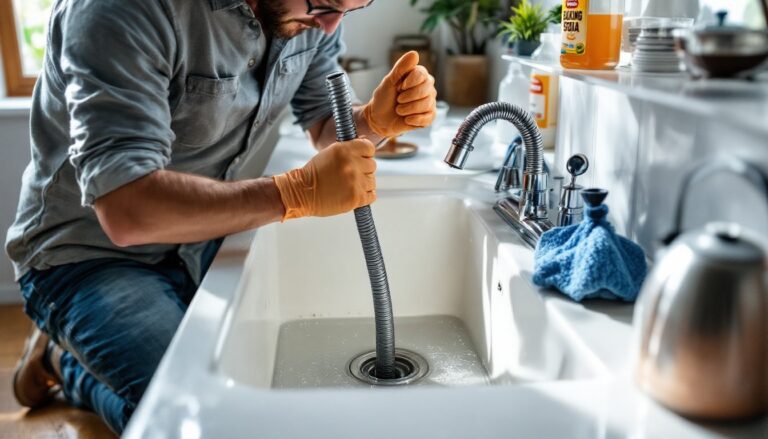
Start by visually inspecting the hose. Hold it up to a light and look through it: you’ll see hair, dust, or debris bunched inside. If blocked, straighten a wire coat hanger or use a plumbing snake to push the clog out. For stubborn blockages, soak the hose in warm water for 30 minutes, then use the snake again.
Next, check the inlet tube (the pipe connecting the dustbin to the motor head). Hair often wraps around the opening. Pull out any visible debris by hand, then look inside with a flashlight. Clear any blockage using the snake method.
Finally, inspect the filter. A Dyson filter is pleated and white or gray. Hold it under a light and look for thick dust coating or a visible blockage. Light tapping against the inside of a trash can dislodges loose dust, but this won’t clean a truly dirty filter.
Cleaning and Washing Filters
Dyson makes several filter types, so check your manual to identify yours. The most common is the HEPA post-motor filter. Here’s how to clean it properly:
- Locate the filter. On upright models, it’s typically accessed from the top or side of the motor head. On cordless handhelds, it’s inside the dust chamber. Twist or push to release.
- Tap the filter over a trash can 5–10 times against the interior wall. This removes loose dust without damaging the pleats.
- Rinse under cold running water. Hold the filter upside down and let water run through it from top to bottom. Do not scrub or use hot water, both can tear the delicate filter material.
- For stubborn dust buildup, soak the filter in cold water for 30 minutes, then rinse again. If the filter still looks dark gray or clogged, it’s time to replace it, typically every 6–12 months depending on use.
- Shake out excess water and stand the filter upright on a clean towel to air-dry completely. This can take 24 hours. Never reinstall a damp filter: moisture invites mold and bacterial growth inside the motor.
Good Housekeeping offers detailed guidance on cleaning filters if you want visual references. Filter replacement is simple: buy the correct model number from Dyson’s website or Amazon, twist out the old one, and twist in the new one.
Maintaining the Brush Head and Attachments
The brush roll (the spinning bar that agitates carpet) is a hair magnet. Long hair wraps around it, tangling and reducing bristle contact with the carpet. This is often the real culprit when suction seems fine but the vacuum doesn’t pick up hair or dust effectively.
To clean the brush head:
- Unplug the vacuum and locate the release button or latch on the brush head (check your manual for the exact spot).
- Pull the brush head away from the motor unit. You’ll likely see hair wrapped around the center rod.
- Use small scissors or a seam ripper to carefully cut and remove the hair. Don’t pull hard: you’ll damage the bristles. Work slowly and gently.
- Once the hair is cleared, wipe the entire brush head with a damp cloth to remove fine dust.
- Check the bristles themselves. If they’re worn flat or splayed, replacement is necessary, new brush heads cost $20–40 and clip in easily.
For attachments (crevice tool, brush head, upholstery tool, etc.), rinse them under cold water and wipe dry. If you notice dust buildup inside a crevice tool, use a thin pipe cleaner or a small stick to push debris out from the opposite end.
Store attachments in a dry place. Unlike the main unit’s motor, attachments won’t be damaged by moisture, but trapped water can breed mold. Many homeowners use essential cleaning tools beyond just their Dyson, a tool caddy or wall-mounted organizer keeps everything accessible and protects your vacuum from clutter around it.
Conclusion
A clean Dyson is a working Dyson. Spending 20 minutes a month on maintenance, emptying the bin, washing the filter, clearing the brush head, prevents costly repairs and keeps your floors genuinely clean. The investment pays for itself in appliance lifespan and consistent performance. Start with these steps, and you’ll notice improved suction within your first cleaning cycle. Your vacuum will thank you.